Any app, the gesture you already know
Keep the three-finger tap you use for the built-in Look Up, or set a keyboard shortcut. It works in every app, including the ones that never let you select text.
AALookup for macOS
Look up a word while reading in Safari, a PDF, a game or a video. Tap with three fingers or use a shortcut to open your dictionaries beside the word. Local dictionary lookup is free and needs no account; optional AI explains the word in context. For macOS 13 or later, with Apple silicon and Intel downloads each under 20 MB.
No account needed. Your dictionaries stay on your computer.
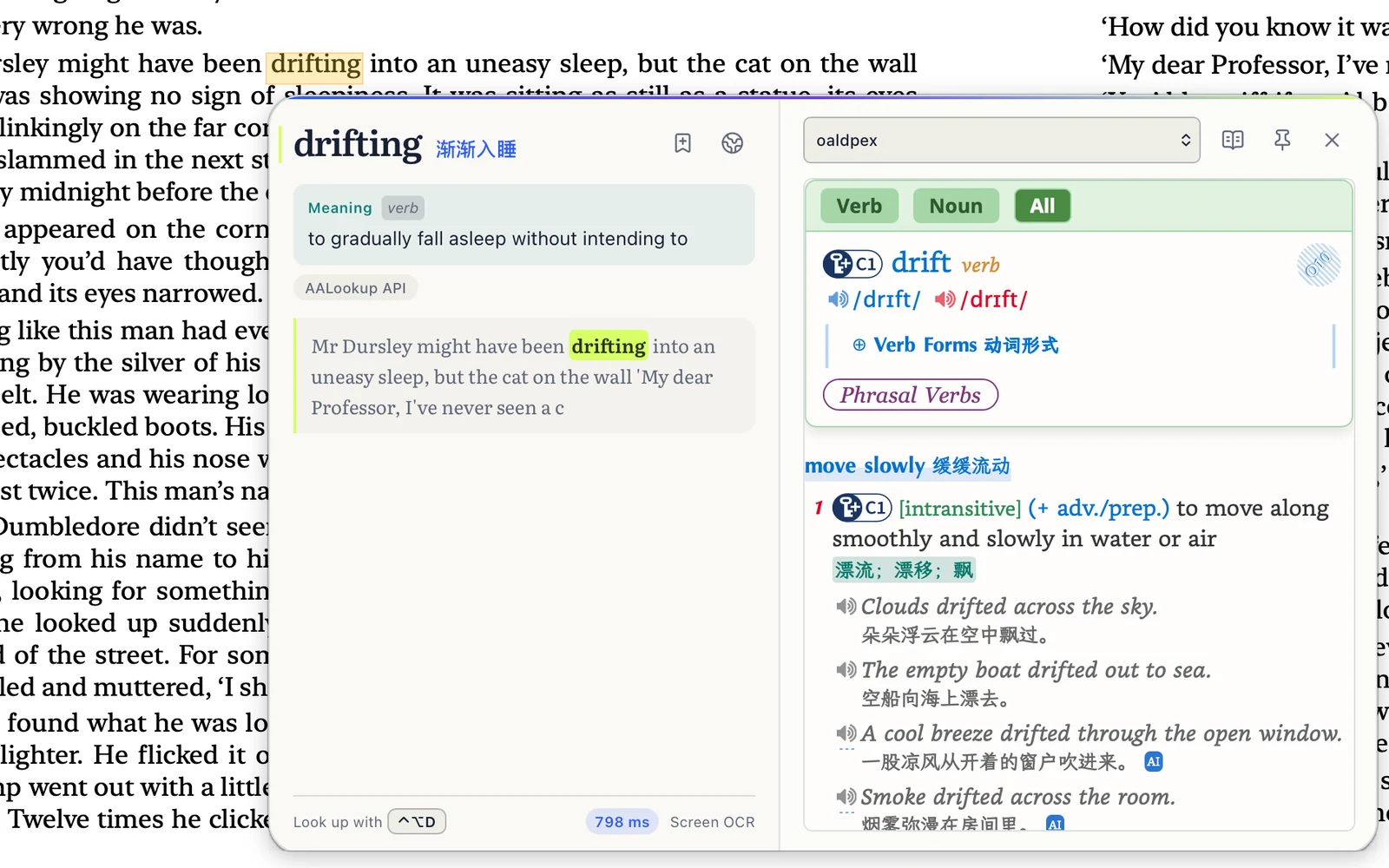
Keep the three-finger tap you use for the built-in Look Up, or set a keyboard shortcut. It works in every app, including the ones that never let you select text.
Accessibility reads the word under your pointer. Screen Recording enables text recognition in games, images and video; screenshots stay on your Mac. AI explanations send the selected sentence and relevant dictionary text when requested. Account sync and online dictionaries use the internet too.
Import a folder of MDict dictionaries once. Every word you look up can be saved with its sentence and reviewed later on your Mac, in the browser or on your phone.
Free, no sign-up
Choose the download for your system. The current version and installer size are listed below.
On a Mac, allow Accessibility so it can read the word under your pointer, and Screen Recording for text in games and images. Windows asks for nothing.
Three-finger tap on a Mac, or press your shortcut on Windows. The meaning appears next to the word.
I'm a Mac user, and the trackpad gesture alone made me download it. Lookups are fast, and it combines the strengths of dictionaries and AI. The built-in three-finger Look Up often gets the range of a Chinese word wrong; AALookup is spot-on in English and nearly always right in Chinese. Genuinely smooth.
I used to chain two apps together, one for grabbing words off the screen and GoldenDict-ng for the dictionaries. AALookup does all of that on its own, and the UI is done really well.
macOS 13 or later, on Apple silicon and Intel. Check About This Mac in the Apple menu: choose Apple Silicon for an Apple chip or Intel / x64 for an Intel processor. Universal works on both. The download section shows the current version and actual size of each installer.
It can. Hand the three-finger tap to AALookup in its settings, or keep both and give AALookup a keyboard shortcut.
Only to read text that can't be selected, such as games, scanned PDFs and video. Ordinary text is read through Accessibility, so you can skip Screen Recording if you never need the rest.
Lookups in your local MDict dictionaries are free, offline and unlimited, with no account required. AI explanations are optional, need an internet connection and come with a free trial. Plus adds more AI use.
Get AALookup
Local dictionaries work offline and without limits. AI explanations come with a free trial.
Checking the latest release…